

Every app you open, every website you scroll through, and every screen you tap has one thing in common someone designed the experience behind it. That is the work of a UI/UX designer, and it is quickly becoming one of the most in-demand careers in the digital economy. If you have been thinking about switching fields, upskilling, or simply exploring what a UI UX design career actually looks like in 2026, this guide walks you through everything you need to know, step by step.
Why UI/UX Design Is a Smart Career Choice in 2026
Businesses today compete on experience as much as on product. A well-designed app can be the difference between a user staying loyal to a brand or uninstalling it within minutes. This has pushed companies across industries fintech, healthcare, e-commerce, SaaS, and even government platforms to invest heavily in design teams.
A few reasons UI/UX design continues to be a strong career choice:
- High demand across startups, IT companies, and product-based firms
- Remote and freelance opportunities are widely available
- No coding background required to get started
- Attractive salaries, especially for designers who can show real project work
- A creative career path that blends psychology, research, and visual design
With AI tools becoming part of everyday workflows, some professionals worry design roles will shrink. In reality, AI is automating repetitive tasks like generating layout variations or writing placeholder copy, but it cannot replace human empathy, judgment, and problem-solving the core of what UX design actually is. Designers who learn to work alongside AI tools while sharpening their human-centered thinking will be the most valuable hires in the coming years.
UI vs UX: Understanding the Difference
Before starting a UI UX design career, it helps to understand what each term actually means, since the two are often confused.
UI (User Interface) is about the visual layer of a product colors, typography, buttons, icons, spacing, and how elements are arranged on screen.
UX (User Experience) is about how a product feels to use how easily a user can complete a task, how intuitive the navigation is, and how the overall journey is structured based on real user research.
A strong designer understands both. UI without UX looks good but frustrates users. UX without UI is functional but forgettable. Most beginner courses, including structured training programs, teach both together so you can work across the full design process.

Step 1: Learn the Fundamentals for a UI UX Design Career
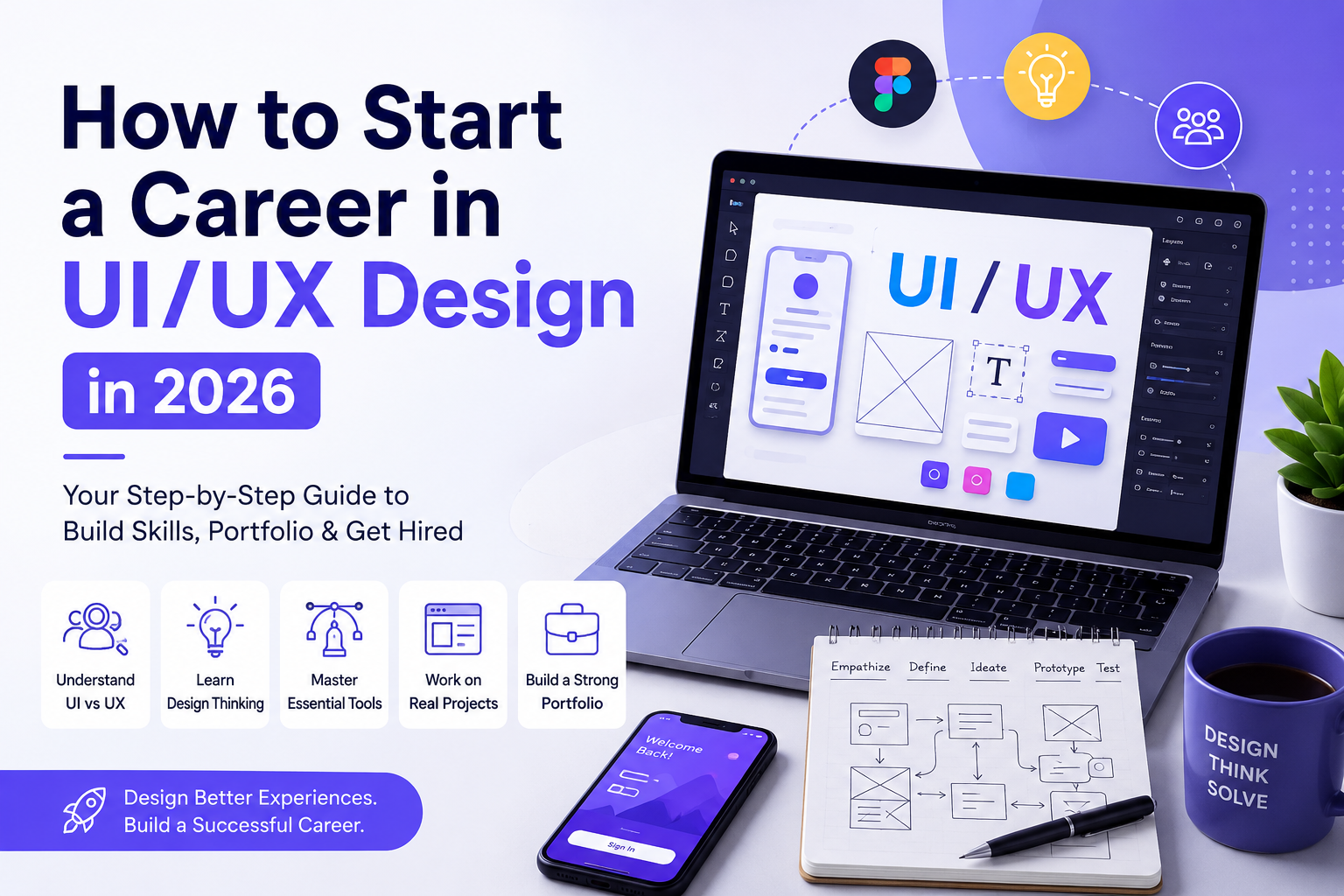
Every UI/UX design career starts with design thinking a problem-solving approach built around empathy, defining the real problem, ideating solutions, prototyping, and testing. Rather than jumping straight into tools, spend your first few weeks understanding:
- How to identify user pain points
- How to translate research into design decisions
- Basic principles of visual hierarchy, color theory, and typography
- Accessibility and inclusive design basics
This foundation is what separates designers who simply “make things look nice” from designers who solve real problems.
Step 2: Essential Tools for a UI UX Design Career
Once the fundamentals are clear, the next step is learning the tools employers actually expect you to know.
- Figma the industry standard for UI design, prototyping, and collaboration
- Adobe XD still used by several agencies for wireframing and prototyping
- Miro or Notion for UX research, user journey mapping, and team collaboration
- AI-assisted design tools increasingly used for rapid wireframing, content generation, and speeding up early-stage exploration
You do not need to master every tool immediately. Most working designers rely heavily on Figma for daily tasks and pick up additional tools as projects demand.
Step 3: Practice With Real (or Simulated) Projects
Theory alone will not get you hired. Employers and clients want to see how you think and how you solve problems, which means hands-on project work is non-negotiable.
Start with small exercises:
- Redesign an existing app screen and explain your reasoning
- Conduct a mini usability study with 3-5 people and document findings
- Build a simple mobile app flow from wireframe to high-fidelity prototype
- Recreate a well-known product’s onboarding flow and improve it
If you are learning through a structured course, look for one that includes live projects and usability testing experience rather than just video lessons. Applying concepts to real scenarios is what builds the instinct employers are actually screening for during interviews.
Step 4: Build a Strong UI UX Design Career Portfolio
Your portfolio is more important than your resume when it comes to landing your first design role. Hiring managers want to see your process, not just polished final screens.
A strong portfolio typically includes:
- 3-4 in-depth case studies (not just screenshots)
- The problem statement and research behind each project
- Wireframes, iterations, and decisions explained clearly
- The final high-fidelity design and prototype link
- A short summary of what you learned or would do differently
Quality matters far more than quantity. Three well-documented case studies covering different product types a mobile app, a dashboard, and a web platform will get you further than ten shallow projects.
Step 5: Get Certified and Keep Learning
While a certification alone will not guarantee a job, it does two things: it structures your learning path, and it signals to employers that you have gone through a formal process rather than picking up bits and pieces randomly.
Look for a program that covers:
- Core UI and UX principles from the ground up
- Hands-on training in Figma and Adobe XD
- Real-world, live projects rather than only theory
- Usability testing and user research methods
- Portfolio-building support and career guidance
- AI-integrated workflows for research, persona building, and rapid prototyping
Institutes like KIT Skill Hub structure their UI/UX Design course around exactly this — practical, project-based learning designed to get you job-ready rather than just certificate-ready. With batches available for both weekday and weekend learners, along with flexible EMI options, it is designed to work around your existing schedule, whether you are a student, a working professional switching careers, or someone re-entering the workforce.
Step 6: Apply, Network, and Keep Iterating
Once your portfolio is ready, start applying strategically:
- Apply to junior UI/UX designer, product design intern, or associate designer roles
- Join local design meetups or online design communities to get feedback
- Ask for critique on your portfolio before every major application round
- Be open to freelance or contract work early on to build real client experience
Most designers do not land their dream role in their first application. Treat each interview and rejection as feedback, refine your portfolio, and keep applying. Consistency matters more than perfection at this stage.
Skills Needed for a Successful UI UX De
Beyond tools and portfolios, a few soft and technical skills consistently separate average designers from the ones who grow quickly in their careers:
- Communication being able to explain design decisions clearly to non-designers
- Research instincts knowing when to validate an idea with users instead of guessing
- Collaboration working closely with developers and product managers
- Adaptability staying comfortable as tools and workflows evolve, especially with AI entering the design process
- Attention to detail spacing, alignment, and consistency across screens
Career Roles and Growth Path in UI/UX Design
A UI UX design career is not a single job title it branches into several specialized roles as you gain experience. Understanding this path helps you set realistic expectations for growth.
- UI/UX Design Intern or Junior Designer entry point where you assist on wireframes, screen layouts, and design documentation under a senior designer
- UX Researcher focuses on user interviews, usability testing, and translating research into actionable insights
- UI Designer specializes in visual design, design systems, and interface consistency across a product
- Product Designer combines UX strategy with UI execution, often owning a feature or product area end to end
- Design Lead / UX Manager oversees design teams, sets design standards, and works closely with product and engineering leadership
Most designers move through these roles over 3 to 7 years, though the timeline varies based on the complexity of projects you take on and how proactively you build your skill set. Freelancing and contract work are also common paths, especially for designers who prefer flexibility over a traditional full-time role.
What Salaries Look Like for UI/UX Designers in India
Compensation varies by city, company size, and portfolio strength, but UI/UX design remains one of the better-paying creative-tech careers available to non-engineering graduates in India. Entry-level designers with a strong portfolio and certification typically start ahead of candidates with only theoretical knowledge, since employers can see direct evidence of applied skills. Compensation tends to rise further as you move into product design or UX research, particularly at product-based companies and startups where design directly influences business outcomes. Hyderabad has seen steady growth in design hiring as IT and product companies expand their local teams.
Common Mistakes Beginners Make in a UI/UX Design Career
- Skipping research and jumping straight to visuals polished designs that do not solve a real user problem rarely impress interviewers
- Copying trending UI styles without understanding why they work trends change, but usability principles do not
- Building portfolios with too many shallow projects a few well-documented case studies outperform a long list of screenshots
- Ignoring accessibility designs that fail contrast, readability, or navigation standards signal a gap in fundamentals
- Learning tools in isolation from design thinking knowing Figma is not the same as knowing how to design
How Long Does It Take to Start a UI/UX Design Career?
With focused effort, most learners can build foundational skills and a basic portfolio within 4 to 6 months through a structured course. Landing your first role can take anywhere from a few weeks to a few months after that, depending on how strong your portfolio is and how actively you apply and network. Designers who complete live projects and usability testing as part of their training tend to move faster, since they walk into interviews with real examples to discuss rather than just theoretical knowledge.
Frequently Asked Questions
Do I need a design degree to start a UI/UX design career?
No. Most successful UI/UX designers come from varied academic backgrounds. What matters is your portfolio, your understanding of design thinking, and your ability to solve real user problems.
Is coding required for UI/UX design?
No. UI/UX design is centered on design thinking, research, wireframing, and prototyping using tools like Figma. Basic awareness of how developers implement designs is helpful, but coding is not a requirement.
Which tool should I learn first?
Start with Figma. It is the most widely used tool in the industry today and covers UI design, prototyping, and team collaboration in one platform.
Can I switch to UI/UX design from a non-design background?
Yes. Many designers transition from marketing, engineering, teaching, and other fields. A structured course combined with consistent project practice can help you build job-ready skills within months.
Ready to Start?
If you’re still unsure which format fits your goals, our team can walk you through it based on your background and career target — no pressure, just a clear picture of what would actually work for you.
📌 Book a free demo class at KIT Skill Hub, Gachibowli or Ameerpet, and experience the hybrid model firsthand.
[Explore our courses →] | [See our placed candidates →] | [Book a Free Consultation →]